Outbox is out
Outbox is now on GitHub. It is a small menu-bar app for macOS: a scratchpad for drafts.
Press ⌃⌥Space and a panel opens. Write there, press ⌘⏎, and the whole text is on your clipboard, pasted into the app you were just using, and the panel is gone.
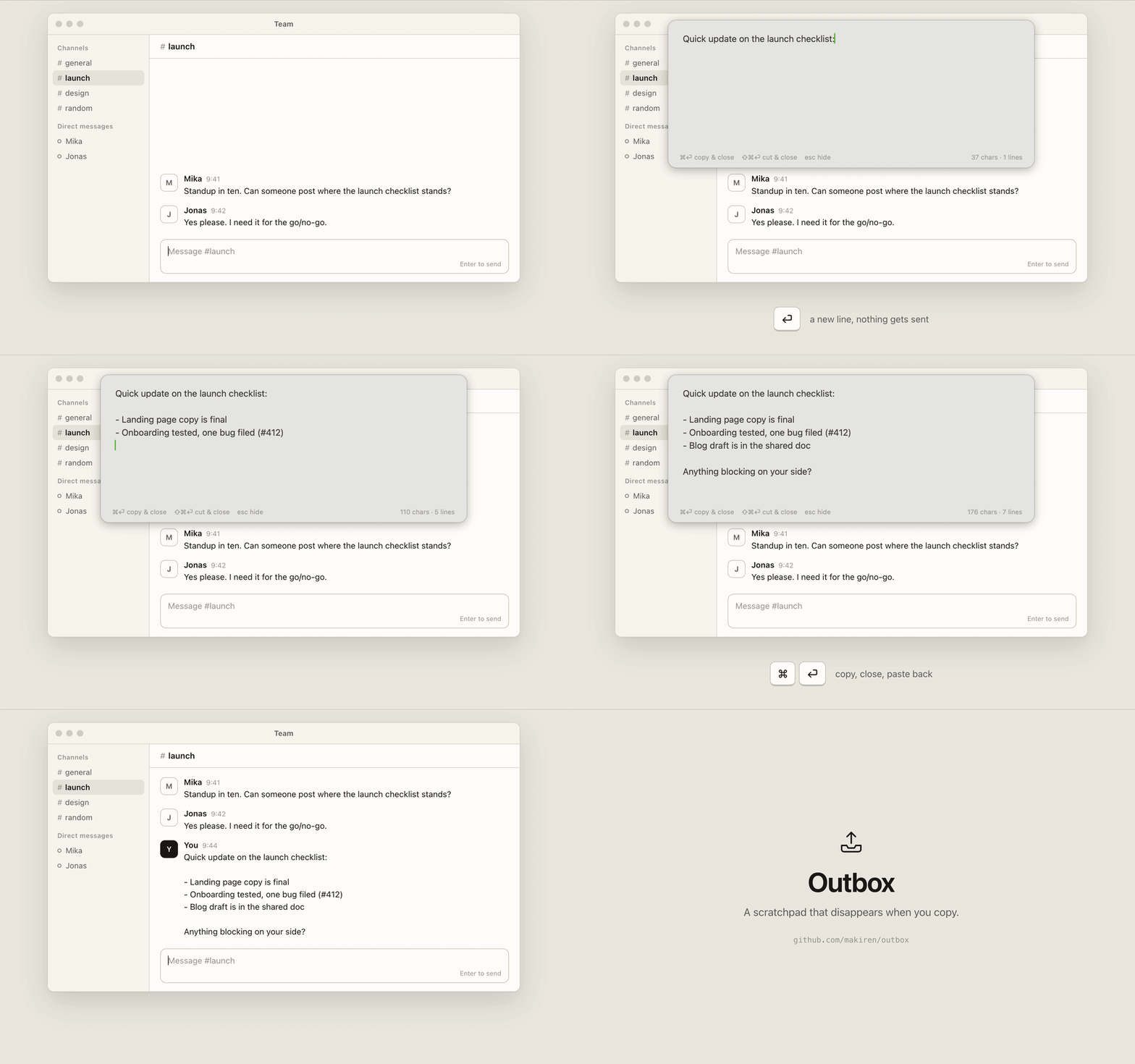
Chat inputs are not made for long text
A chat input is a bad place to write anything longer than two lines. Enter sends the message half-written. The box is small, and a reload eats the draft.
A notes app fixes the writing part. But then you select everything, copy, switch apps, paste, and go back to delete the note.
Outbox turns those steps into two keystrokes: one to open, one to paste.
Where it helps
- Long messages in Slack or Teams. Inside Outbox, Enter is a new line and never sends.
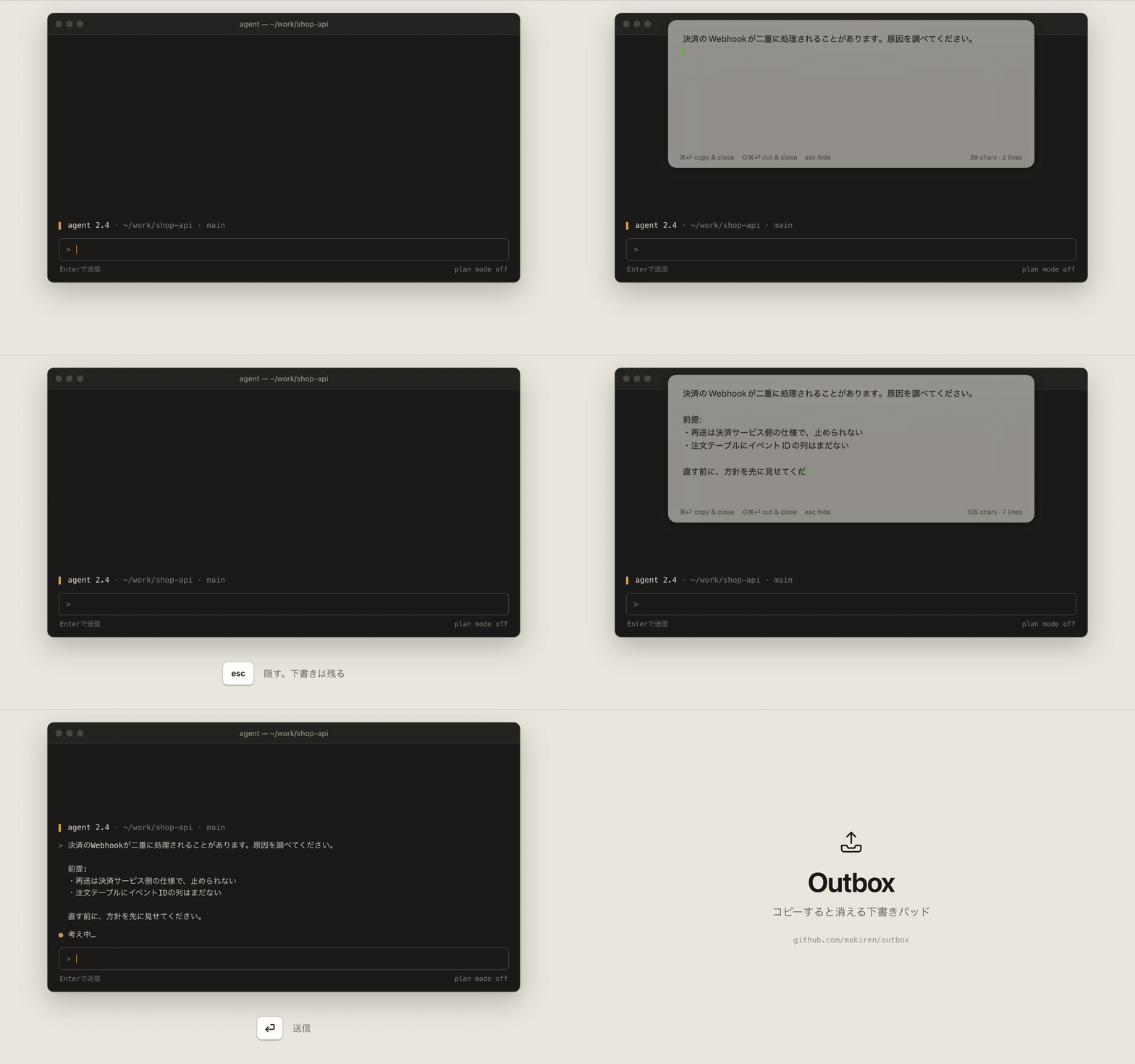
- Prompts for an AI, in a chat window or in a terminal. Write the few paragraphs with their context first, then paste them in one go.
- Forms and comment boxes that lose their text on reload. The Outbox draft is saved to disk as you type.
Keys
| Action | Key |
|---|---|
| Open or hide the panel | ⌃⌥Space |
| Copy everything and close | ⌘⏎, or ⌘C with nothing selected |
| Cut everything and close | ⇧⌘⏎, or ⌘X with nothing selected |
| Hide and keep the draft | Esc or ⌘W |
With text selected, ⌘C and ⌘X are the ordinary copy and cut.
Pasting back into the previous app needs the Accessibility permission. Without it the text is still on the clipboard, and you paste it yourself.
How it is made
- About 700 lines of Swift. AppKit and Carbon only, no third-party libraries.
- No settings window. The hotkey and the font are changed with
defaults. - One draft. No list, no sync, no formatting toolbar. If you want to keep what you wrote, keep it where you pasted it.
Get it
Download the zip from Releases on GitHub. It runs on macOS 13 or later, on Apple Silicon and Intel. The licence is MIT.
It is not notarized, so Gatekeeper stops the first launch. The README explains how to open it.